
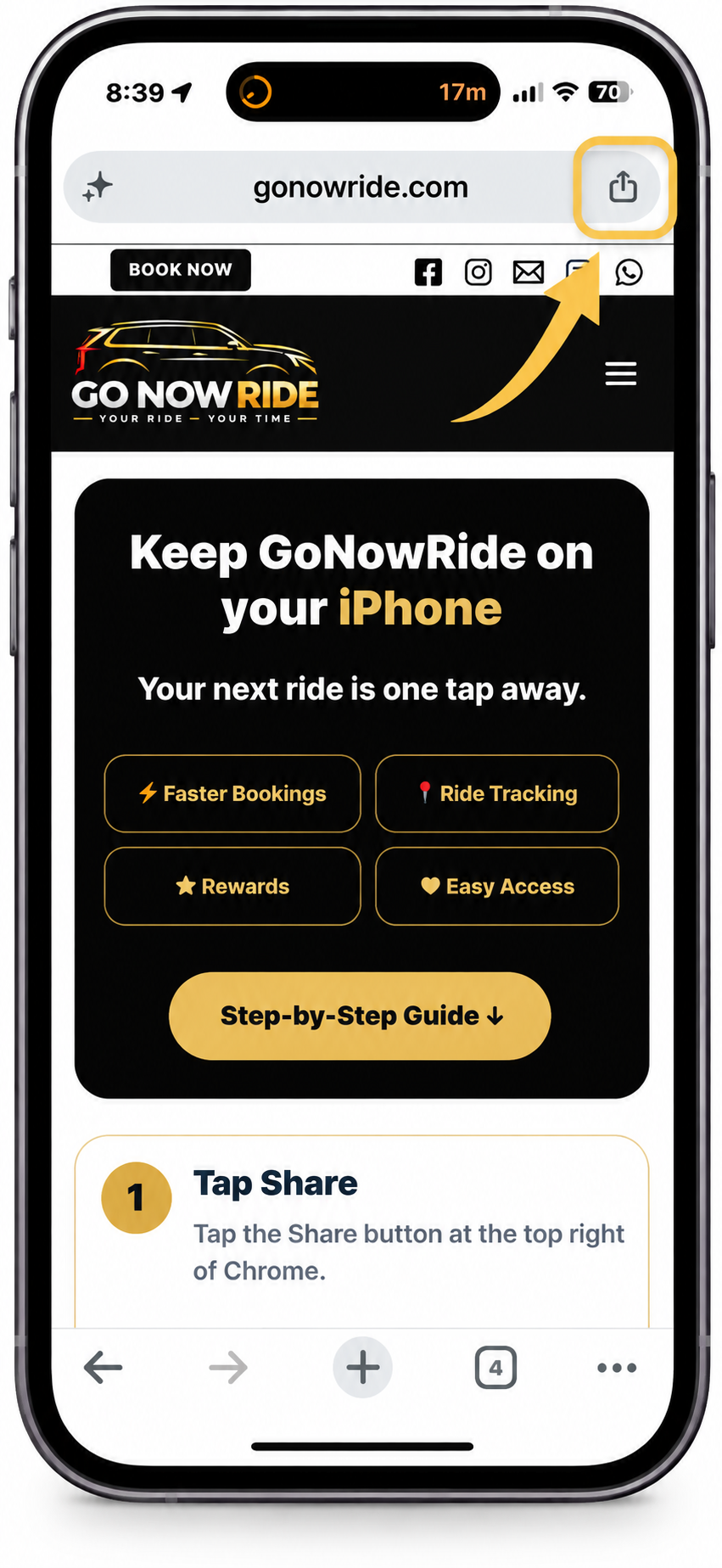
Keep GoNowRide on your iPhone
Your next ride is one tap away.
⚡ Faster Bookings📍 Ride Tracking★ Rewards♥ Easy Access
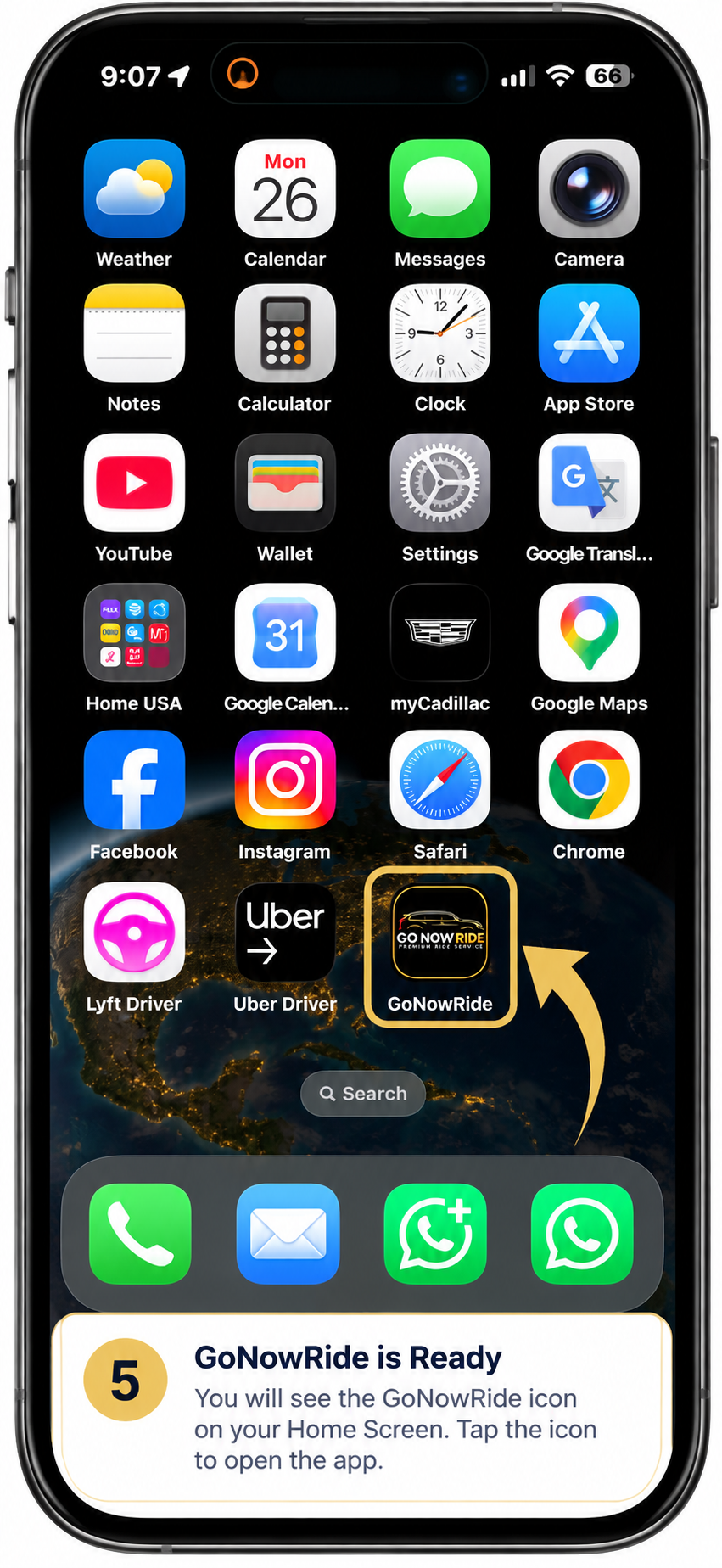
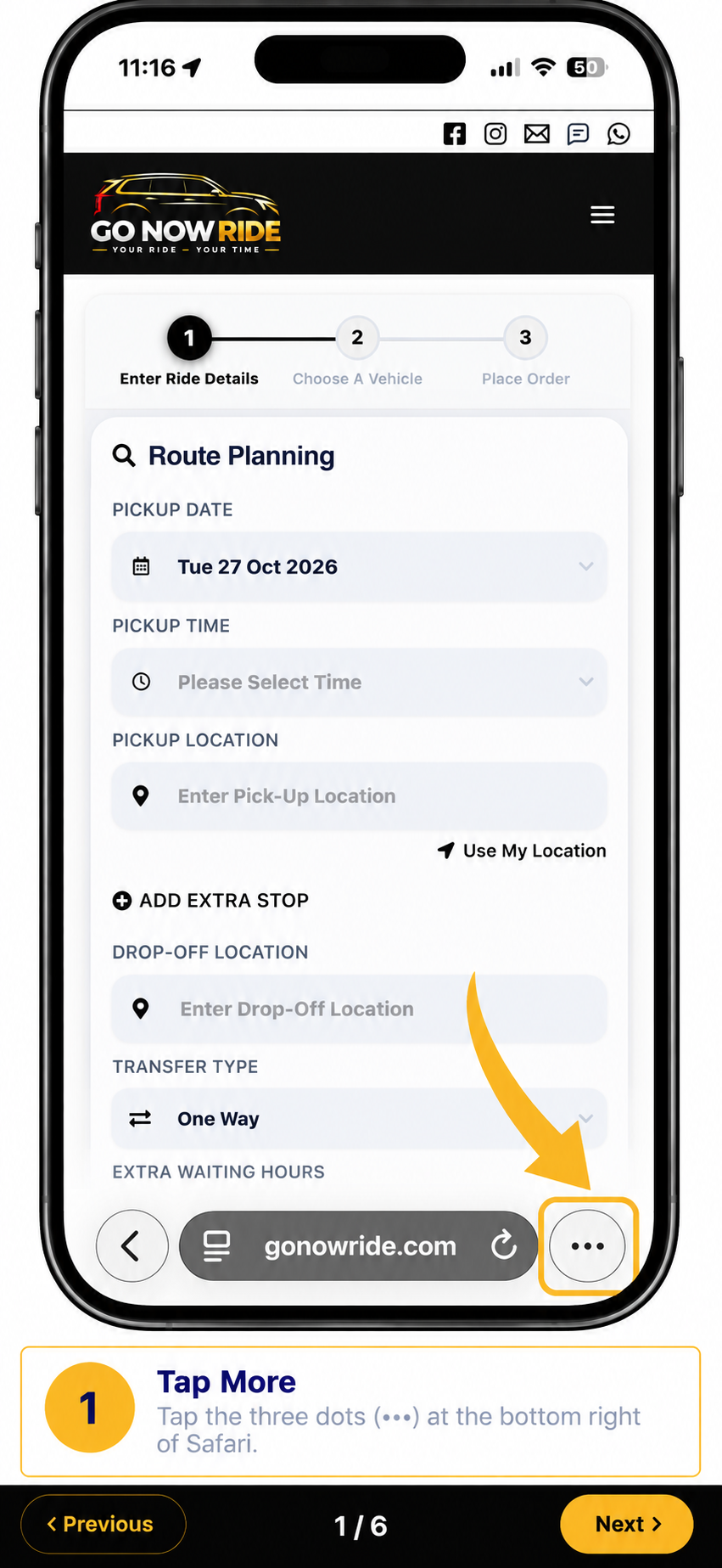
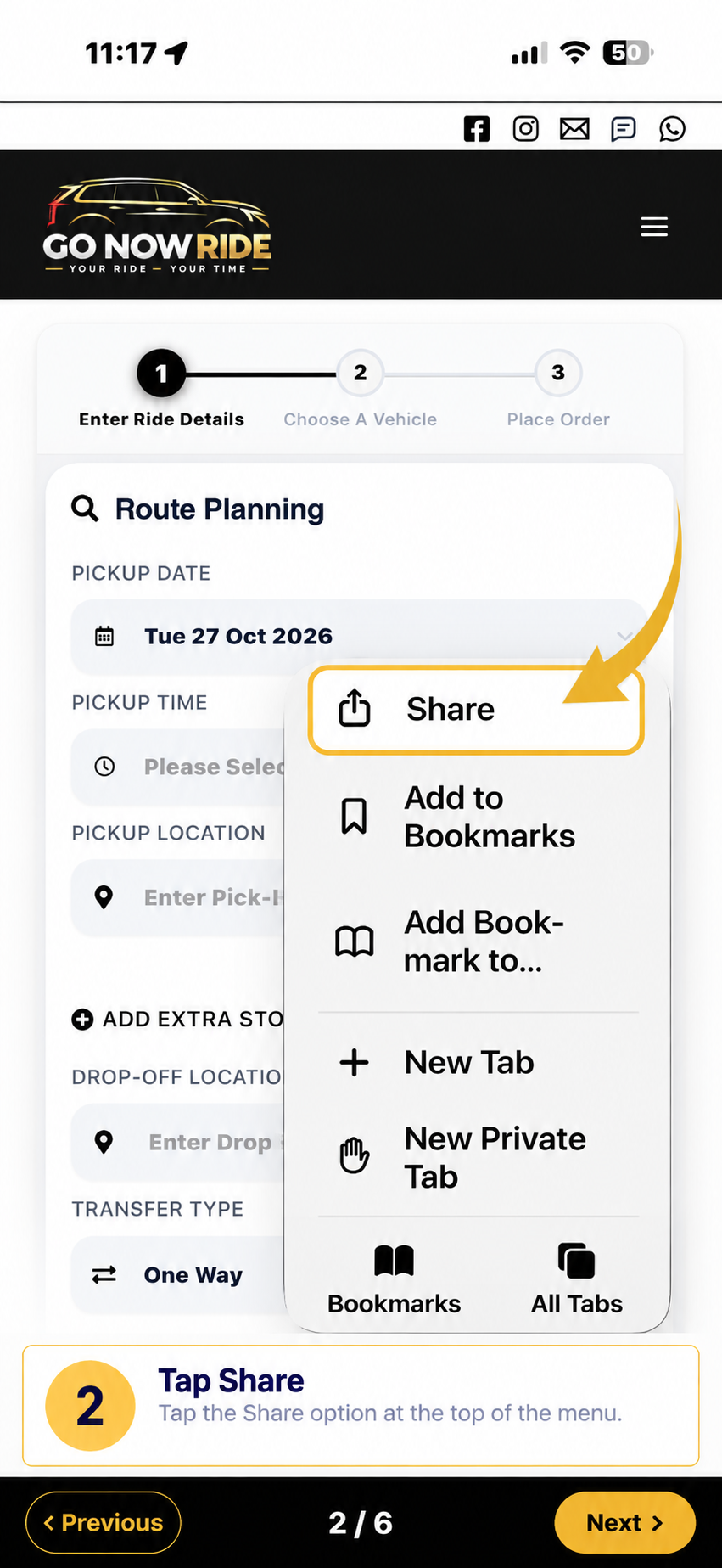
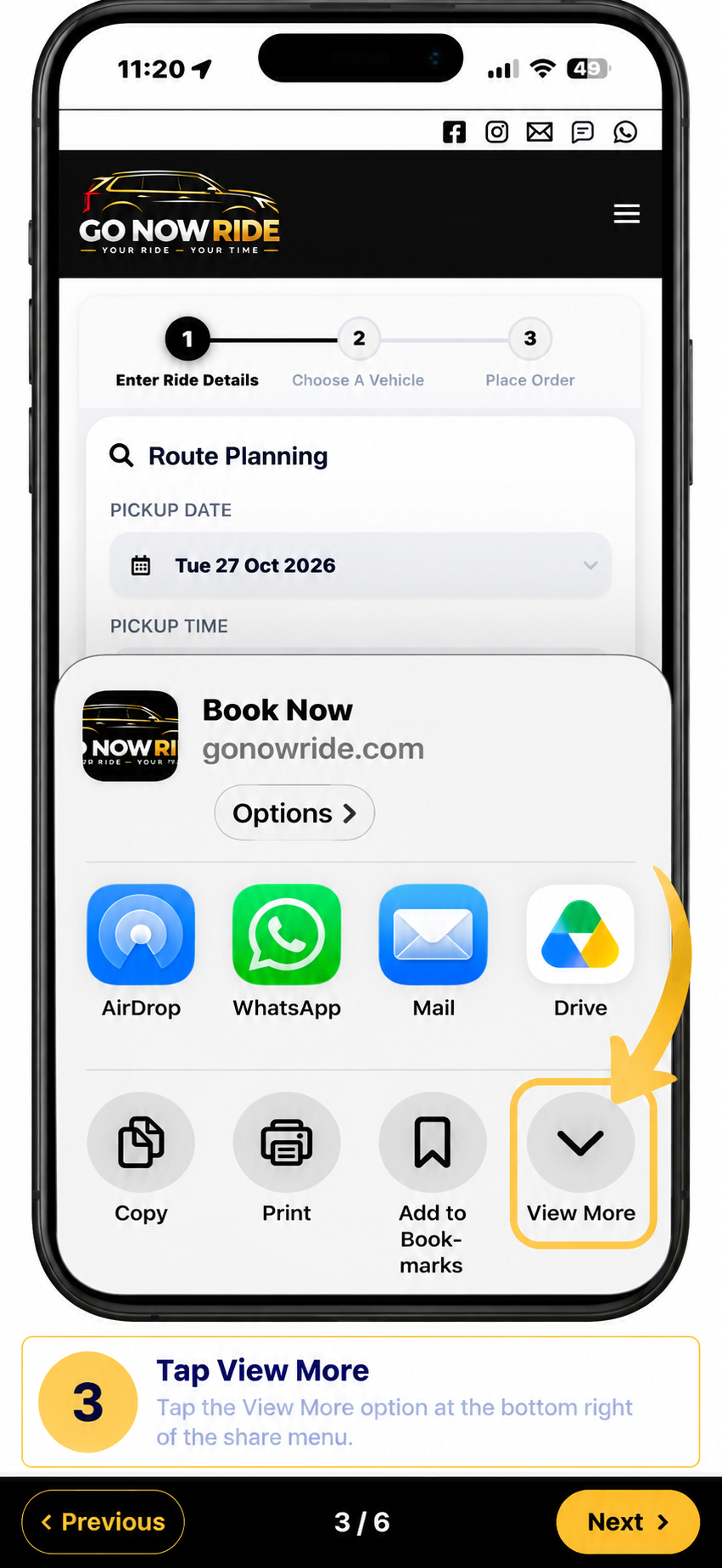
Choose your iPhone browser to see the correct steps:
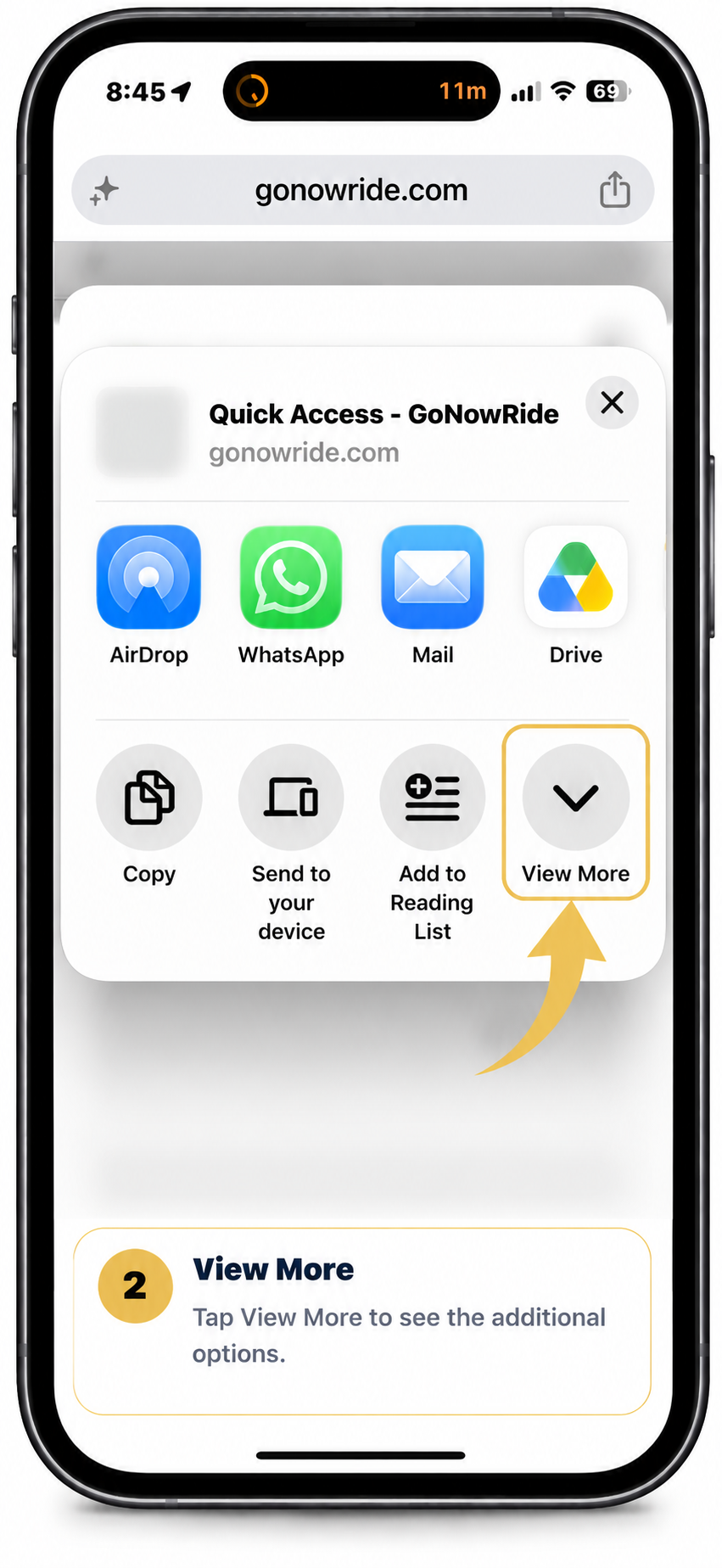
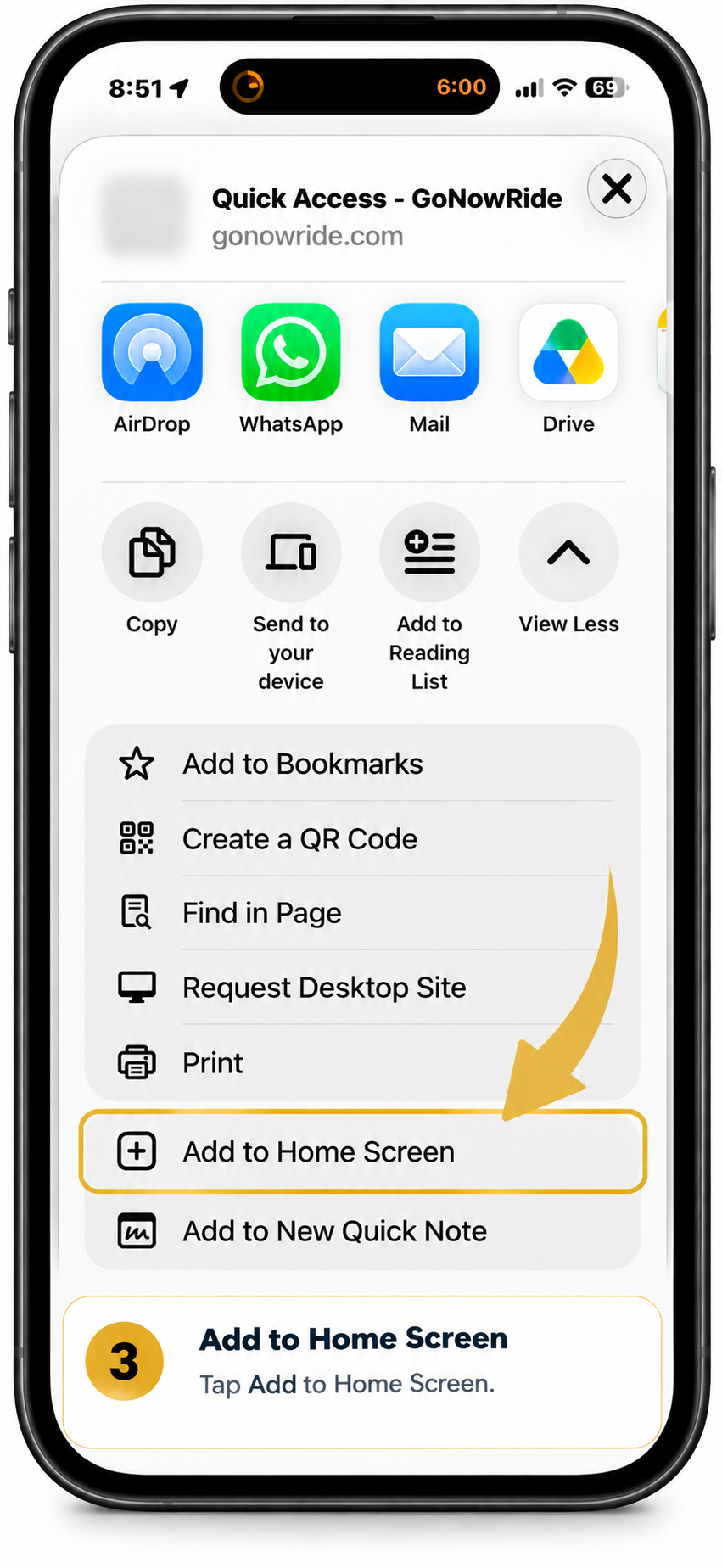
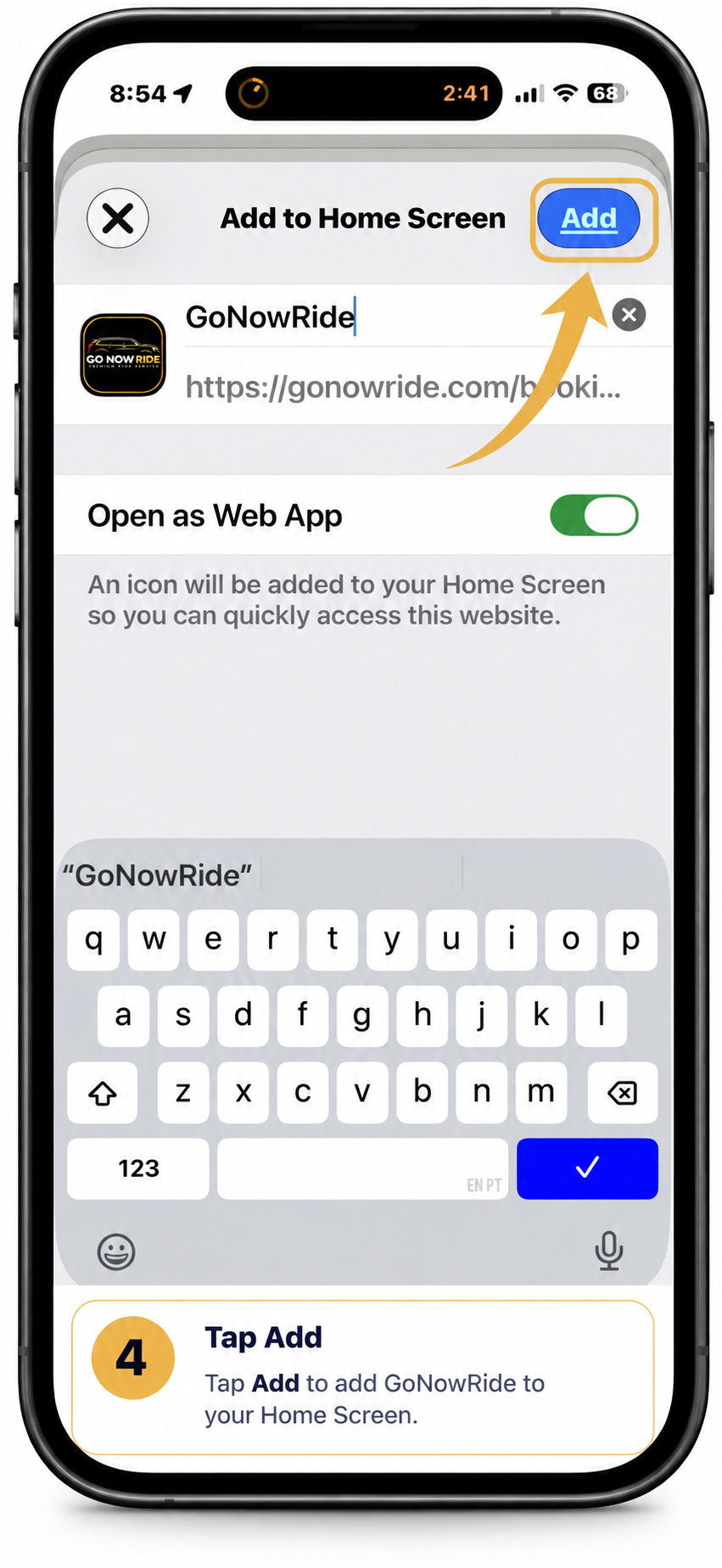
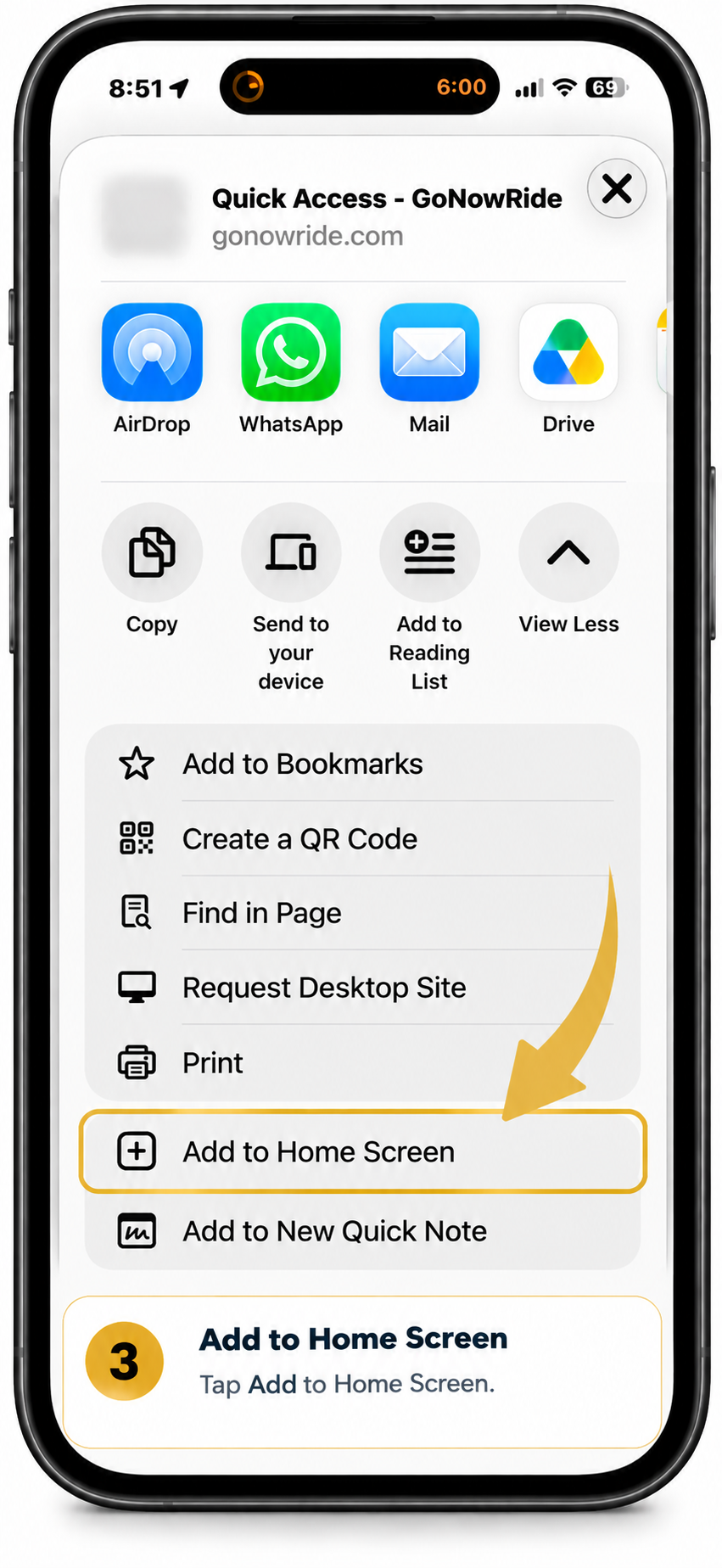
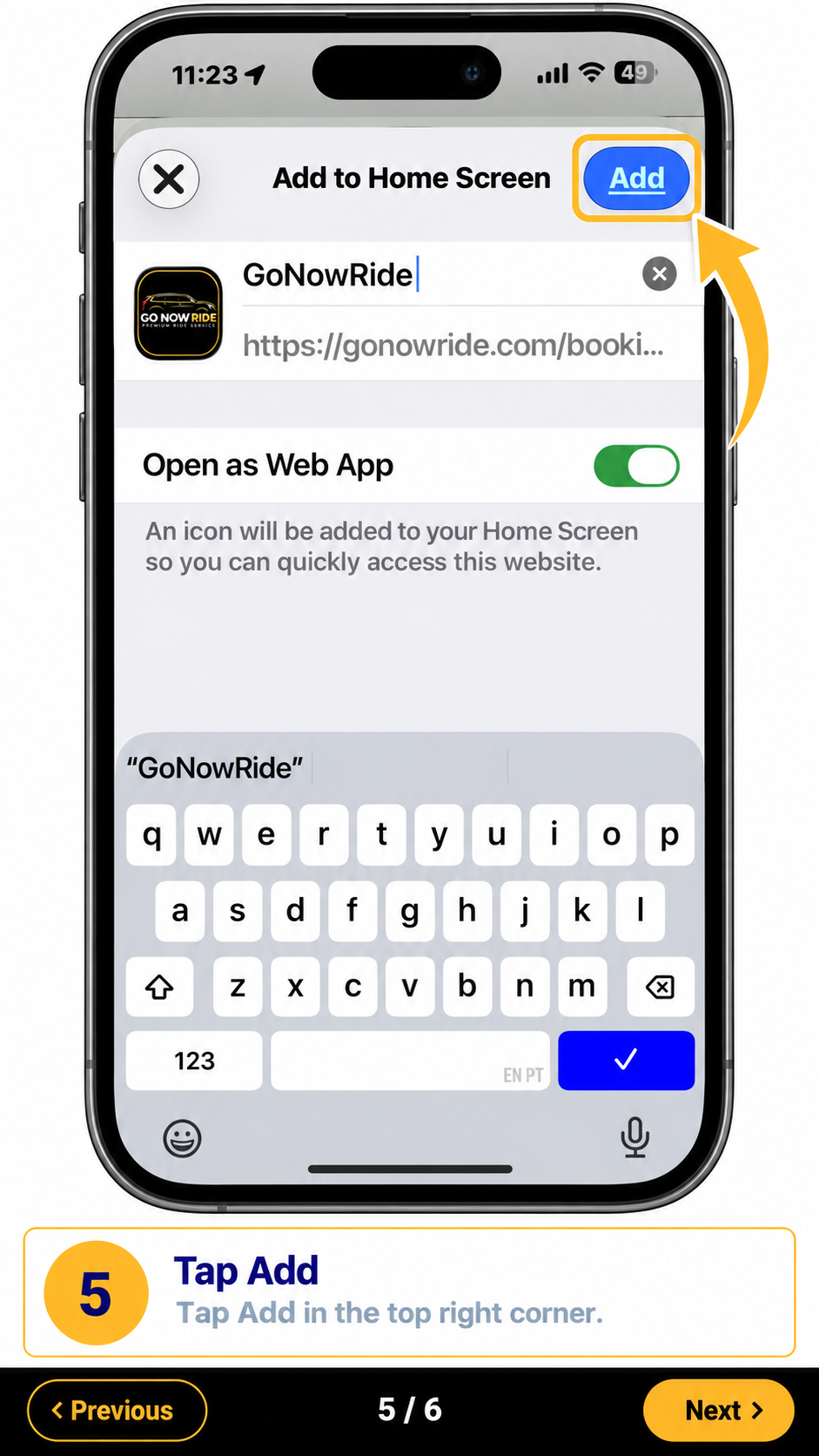
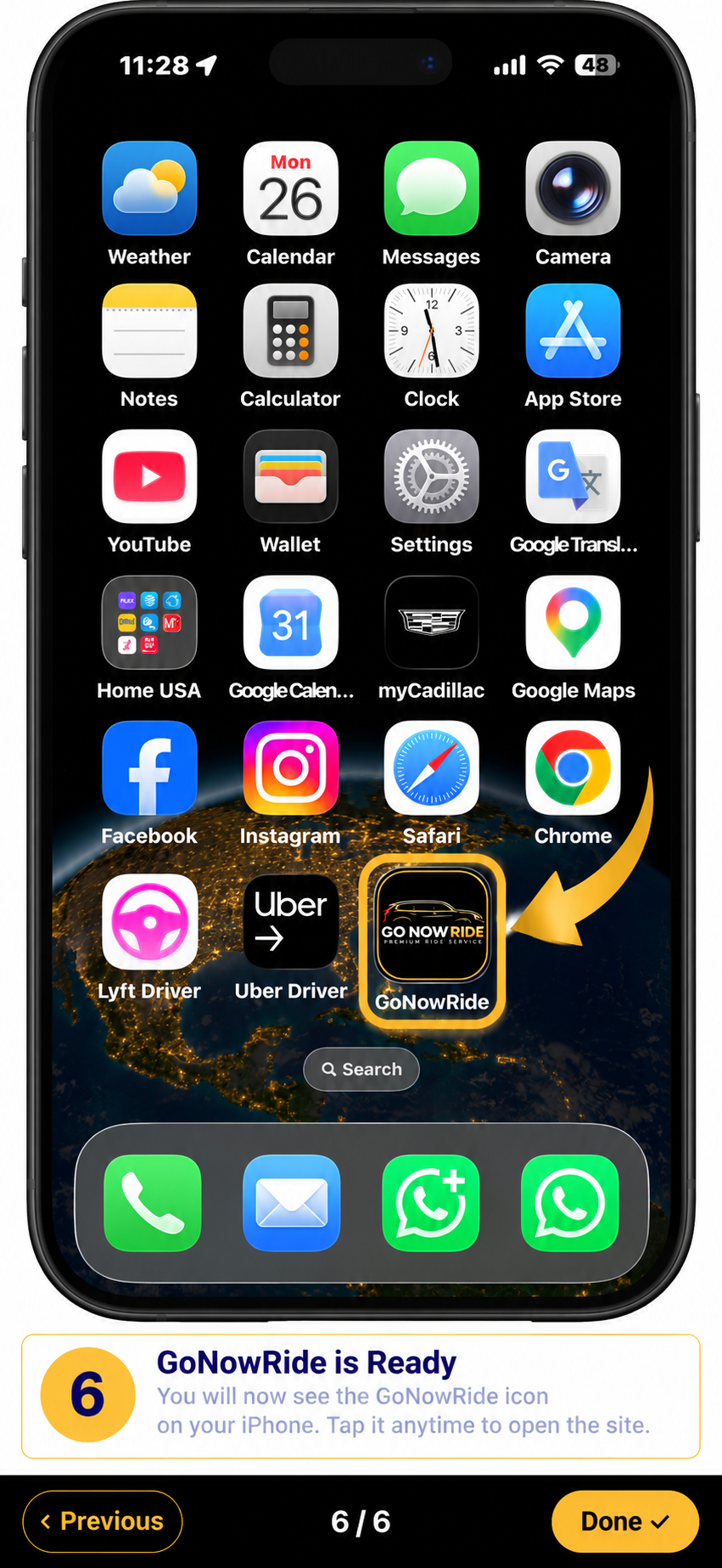
The highlighted steps are based on Chrome for iPhone. Apple requires you to confirm Add to Home Screen. If the menu looks different, check that Chrome is up to date.
These steps show Safari for iPhone. If your menu looks different, check that Safari and iOS are up to date.